Photography Tips for the Winter Holidays
Photography tips for the winter holidays. How to take photos and what to pay attention to. As the holidays approach, it is worth preparing in time for photographic occasions. A few ideas to help us feel more at ease capturing family events, so we do not miss a ‘once-in-a-lifetime’ moment

How to prepare for holiday events from a photographer’s perspective
As the holidays approach, many experiences await us that deserve to be preserved. Given the variety of events, it is worth preparing in advance for photography. By reading through the tips below, we can sleep a little more calmly knowing that we are ready to capture family occasions and perhaps not miss a “once-in-a-lifetime” moment.
Planning ahead is essential. At Christmas and on New Year’s Eve, only a few shops remain open to buy batteries or other photographic supplies. There is nothing worse than searching for an open store around 10 p.m. where you can purchase film or AA batteries.
Shopping list
– film
– memory card
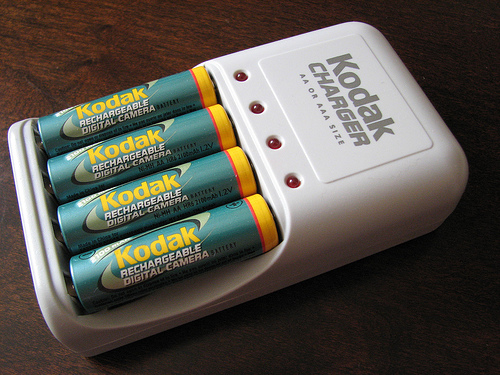
– batteries, rechargeable batteries
To-do list
– clean the equipment
– empty the memory cards
– ensure adequate storage space for digital images
– charge rechargeable batteries
– keep the instruction manuals at hand (camera, flash, etc.)
Memory, film, storage capacity
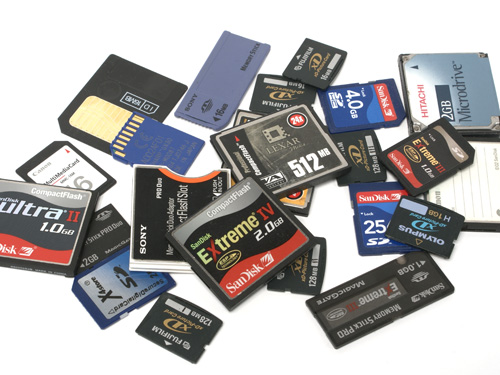
Based on our previous photographic experience, estimate how much free memory or film we will need. If we are shooting on film, it is advisable to purchase 10–20% more for safety. Estimate how much photography will take place indoors and how much outdoors, and select the ISO value of the films accordingly.
Take holiday opening hours into account. The same applies to batteries. If using rechargeable batteries, start charging them in time, considering the charger’s capacity.
Tip: Larger petrol stations are open 24 hours during the holidays and usually stock film and AA batteries.
Check the memory card of digital cameras to ensure previously recorded images have been downloaded and deleted. Also verify that there is sufficient storage capacity on the computer for downloading holiday images. If hard drive space is running low, archive older photos to CD-ROM, DVD, Zip disk, etc.
Memory capacity is a crucial aspect of digital photography. Better images → higher resolution → greater memory requirements. The occasion may justify surprising yourself with a larger memory card.
Maintenance of photographic equipment
As before any major photo session, review your equipment and remove dust and dirt from the camera body and lenses. Use appropriate cleaning tools specifically designed for photographic equipment (cleaning cloth, brush, compressed air, etc.), otherwise you may scratch the lens or damage the shutter mechanism. Clean front elements to avoid flare, and also clean the viewfinder and the LCD display.
It is worth taking out the camera’s instruction manual—even if you have read it several times—and reviewing it, especially in light of situations you expect to encounter. You may find small details you previously skimmed but have not yet tried in practice. These may include slow flash synchronization, long shutter speeds (depicting motion, sparklers, etc.), shutter/aperture priority modes, self-timer operation, etc.
Photographic techniques
Be aware of your flash’s effective range. If the subject is beyond the flash range, move closer, switch to slow flash sync (if your camera supports this function), or turn off the flash. Many cameras with built-in flash can be expanded with a dedicated system flash. Since built-in flashes have limited range, this method increases the illuminated area. The camera’s user manual lists compatible system flashes.
Naturally, we will take group photos when asking family members to gather together. However, it is far more interesting and lifelike to photograph people during activities—for example, while unwrapping gifts or trying them out. The result: more natural, realistic images.
The holidays bring various humorous and emotionally rich situations. Keep the camera within reach at all times, ready to shoot, so you do not miss an interesting moment. Keep the camera switched on and the flash charged. It is advisable to switch to ‘Program’ mode to avoid spending time on settings. This way, you will not miss an important moment. If you wish to adjust settings and have time, you can still do so later.
Digital camera memory
Digital cameras are known for their appetite—both for batteries and memory. If you have a little time, download images from the camera’s memory and put the batteries on charge. If you have an AC adapter, use it whenever possible near a power outlet to save batteries. To conserve power, turn off the LCD display when feasible, as it is one of the largest power consumers.
Another method is connecting the camera to a television set. In this case, the LCD display switches off. Not only can you save battery power, but you can also view images at a much larger size. Composing may be slightly more difficult this way, but it can be quickly mastered. Additionally, others can follow your activity, and younger family members especially enjoy appearing “on television.” Most cameras include a ‘Video connector cable’ as standard equipment for this purpose.
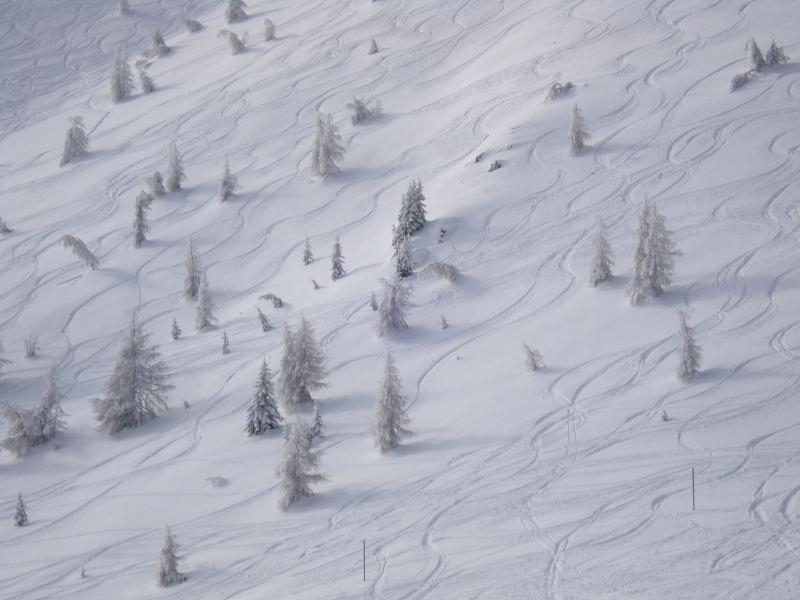
Photo: Gábor Németh – Winter ski slope